DashboardAIR

DashboardAIR™ · Free on iOS & Android

Type once.
AIR routes it right.

DashboardAIR is the command center for power users juggling multiple AI tools. Type any prompt — DashboardAIR routes it to whichever of its six wired-in AI models actually wins that category, shows your confidence score, and renders the answer in-app.

Download on theApp Store
Get it onGoogle Play

Free to download · 6 AI tools wired in today, more on the way

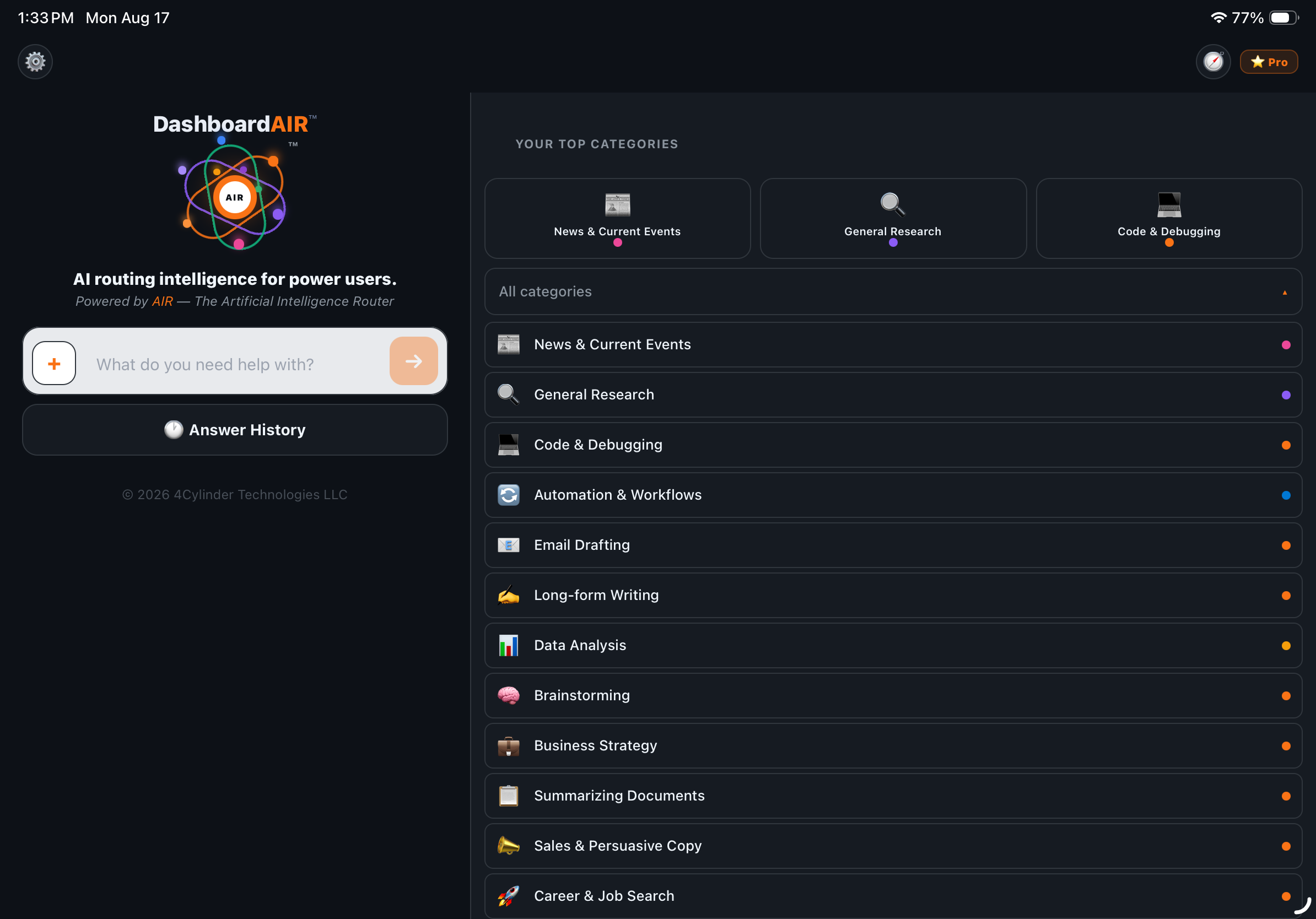
DashboardAIR home screen
Why DashboardAIR

Built for people running
five AI tabs at once.

DashboardAIR replaces the "which AI do I open for this" decision with one prompt box — and shows its work. Categories like Code & Debugging, Automation & Workflows, and Data Analysis are built with power users in mind, not just casual chat.

One prompt, no app-switching

Type your question once — a coding question routes straight to Claude, breaking news routes to Grok — automatically, with no manually opening five different apps to find out which one's actually good at this.

📊

See your confidence score

Every answer shows a live confidence score and a "Best fit" recommendation, so you know exactly how sure AIR is — and where to go for a second opinion if you want one.

⚖️

Routing decided by consensus, not us

Every category's assigned AI is chosen by the AIR Consensus Engine™ — six frontier AIs vote monthly on who's actually best. No sponsorships, no favorites.

See It In Action

Real prompts.
Real answers, from the app.

No mockups — these are DashboardAIR's actual screens, routing and answering actual questions.

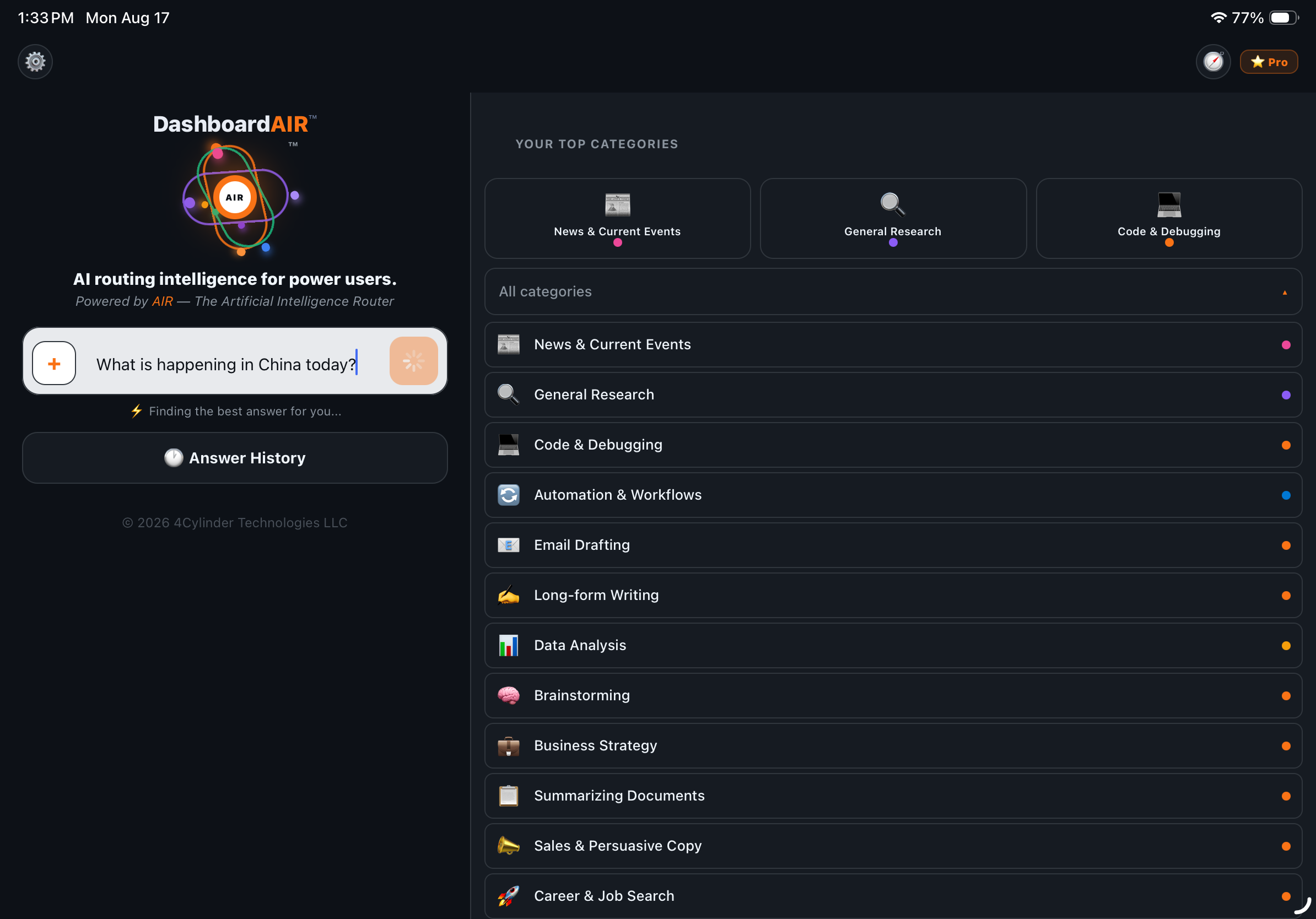
DashboardAIR routing a question
Type it once

No category menu required — type any question and AIR classifies and routes it while you wait.

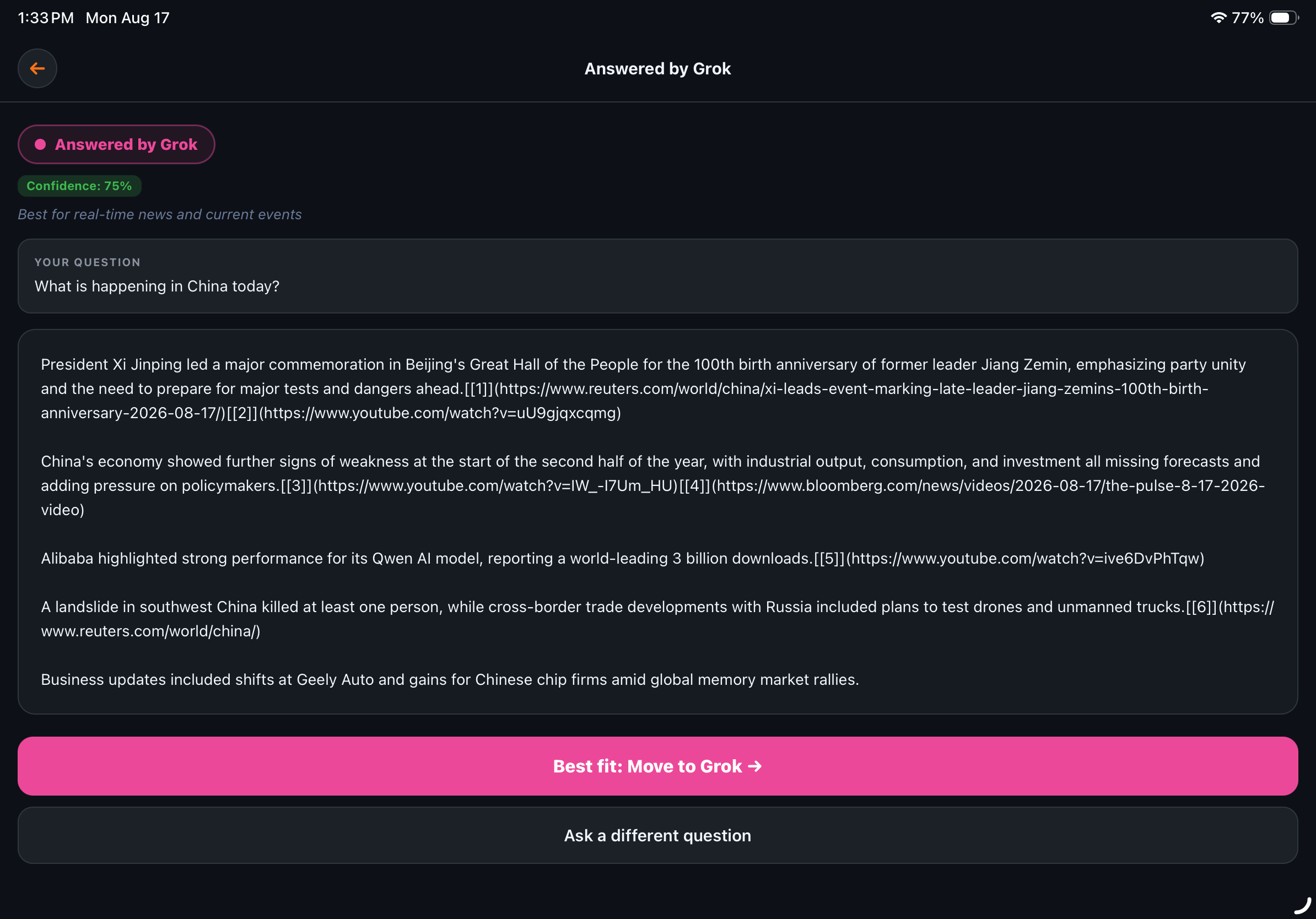
DashboardAIR answer screen with confidence score
Confidence, built in

Every answer shows which AI responded, a live confidence score, and a one-tap way to move to a different tool.

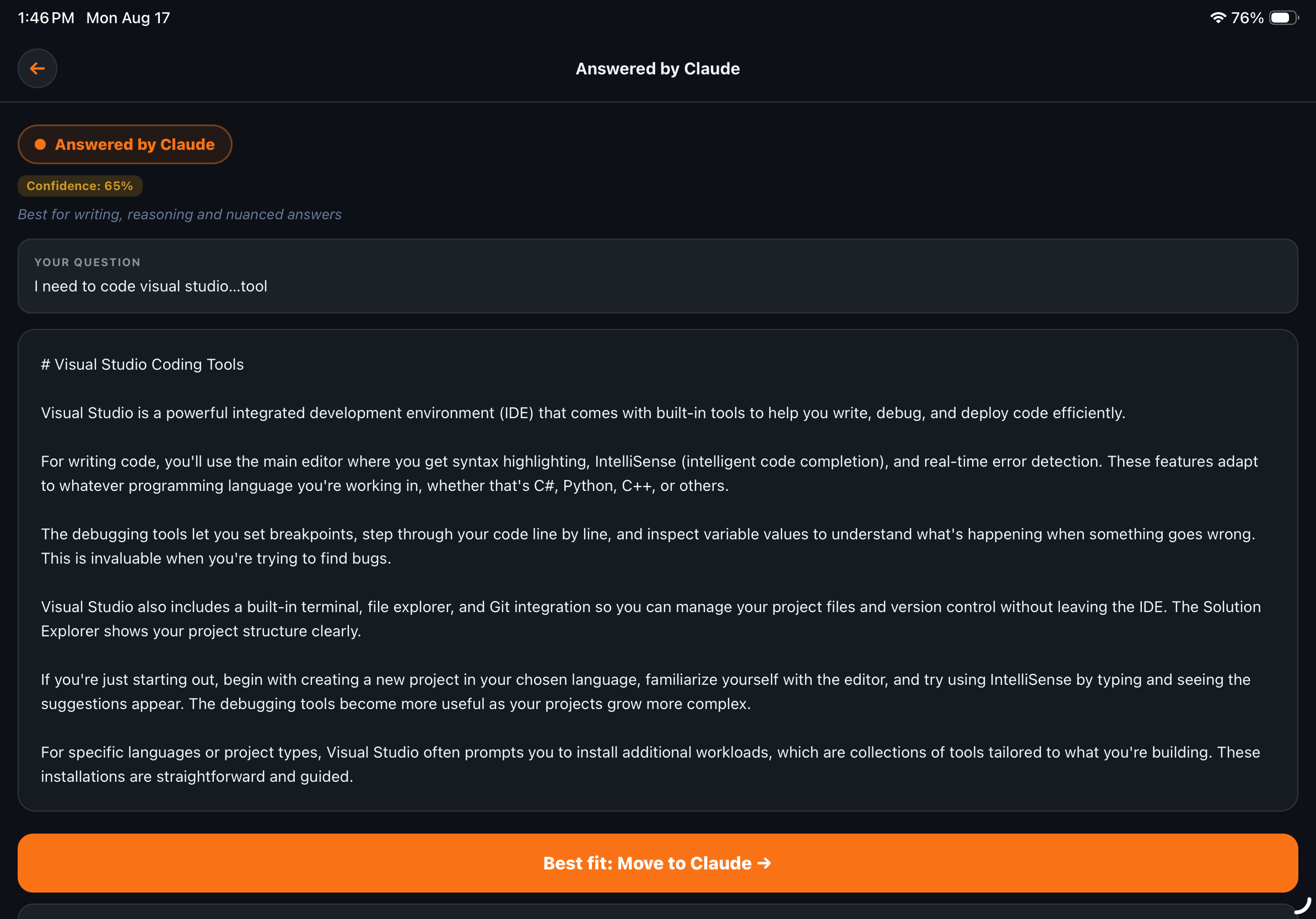
DashboardAIR answering a coding question with Claude
Built for power users

A real Code & Debugging question, routed straight to Claude — same confidence score and "Best fit" pattern as any other category.

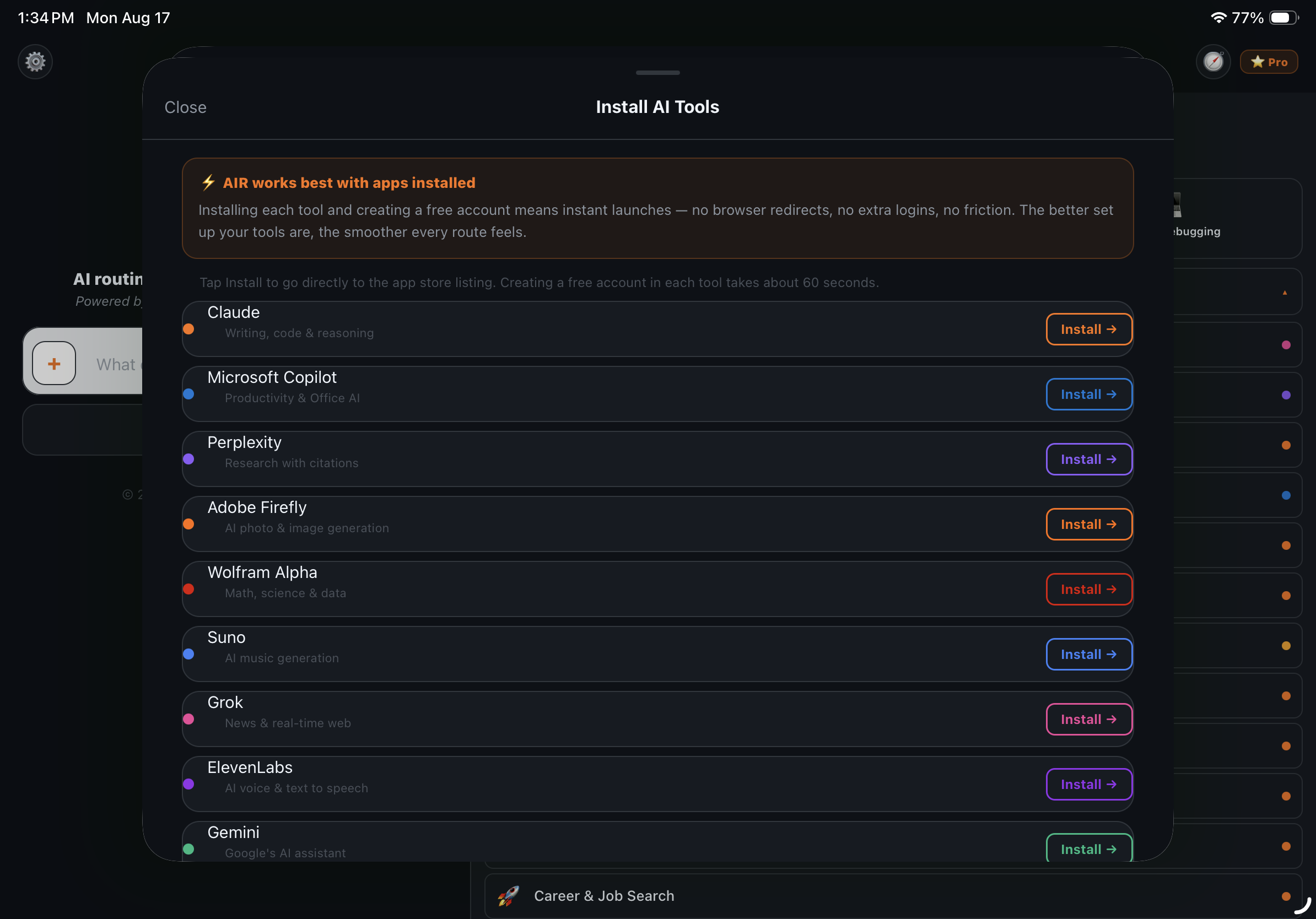
DashboardAIR Install AI Tools screen
Get your tools ready

Install each AI tool and create a free account once for instant launches — no browser redirects, no extra logins.

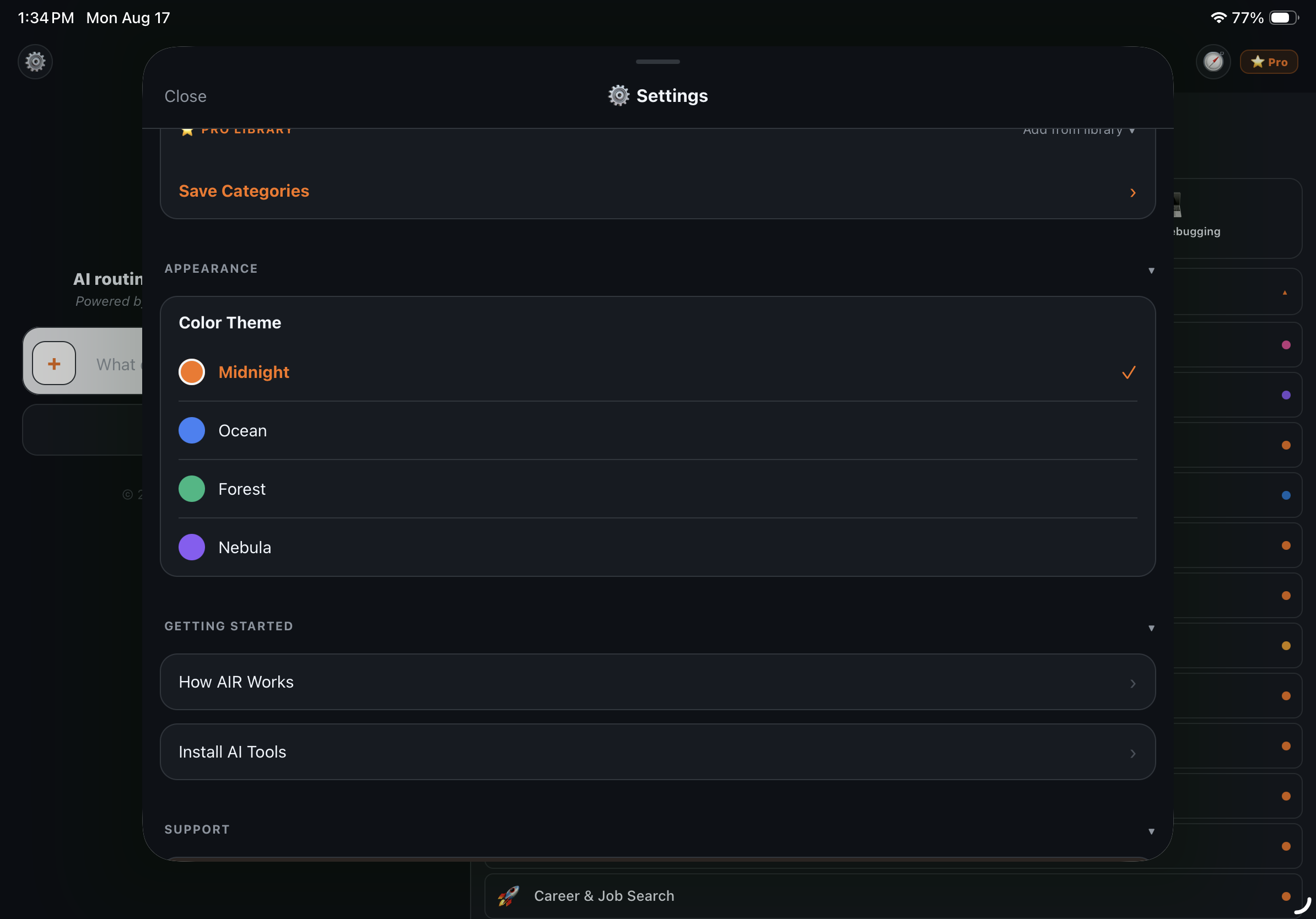
DashboardAIR color theme options
Make it yours

Four color themes, from Midnight orange to Nebula purple — pick the dashboard that fits how you work.

One prompt. One route. A confidence score.

STEP 01
Ask

Type any prompt into the box, or jump straight into one of your top categories — whatever's fastest for what you need.

STEP 02
DashboardAIR Routes It

Your prompt is classified and sent to whichever AI won that category in the latest monthly AIR Consensus Engine™ vote.

STEP 03
Get Your Answer

The answer renders right in the app with a confidence score attached — no switching tools, no guessing if you picked the right AI.

Curious how the routing decision actually gets made? Read the full methodology on the AIR Consensus Engine™ page.

Questions

Good to know

Is DashboardAIR actually free?
Yes — DashboardAIR is free to download with a generous daily allowance of routed prompts and full access to core categories. Pro and Family tiers exist for people who want unlimited routes and access to every category and AI tool; see the app for current plan details.
How many categories and AI tools does DashboardAIR route across?
20+ categories — News & Current Events, Code & Debugging, Data Analysis, Business Strategy, and more, many built with power users in mind. Six AI tools are fully wired into DashboardAIR's routing and answer engine today — Claude, ChatGPT, Perplexity, Grok, Gemini, and Microsoft Copilot — with more being added over time. The Install AI Tools screen also lists specialist companion apps, like Adobe Firefly, Wolfram Alpha, Suno, and ElevenLabs, you can install for instant, one-tap launches.
What does the confidence score actually mean?
It reflects how confident DashboardAIR's classifier is that it routed your prompt to the right category and AI. Higher scores mean a clearer match; if it's lower, the answer screen offers a "Best fit" suggestion to move your question to a different tool.
Who decides which AI answers which category?
Nobody at 4Cylinder Technologies picks favorites. Every month, six frontier AI models — Claude, ChatGPT, Perplexity, Grok, Gemini, and Microsoft Copilot — independently vote on which AI tool is objectively best for each category. Majority wins, and the routing updates automatically, no app update required. Full methodology is public on the AIR Consensus Engine™ page.
Can I customize how DashboardAIR looks?
Yes — choose from four color themes (Midnight, Ocean, Forest, and Nebula) in Settings > Appearance to match how you like your dashboard to feel.
Get Started

Stop opening five AI apps to find the right one.

Download DashboardAIR free and let the app route every prompt to the AI that's actually best at it.

Download on theApp Store
Get it onGoogle Play