AskAIR

AskAIR™ · Free on iOS & Android

Ask anything.
The right AI answers.

Stop guessing which AI to open. Tap a life category or just ask — AskAIR routes your question to whichever AI actually wins that category, decided by monthly consensus, not a hunch.

Built for the consumer and the power user. Powered by AIR at the core.

Download on theApp Store
Get it onGoogle Play

Free to download · 17 AI tools inside, one app
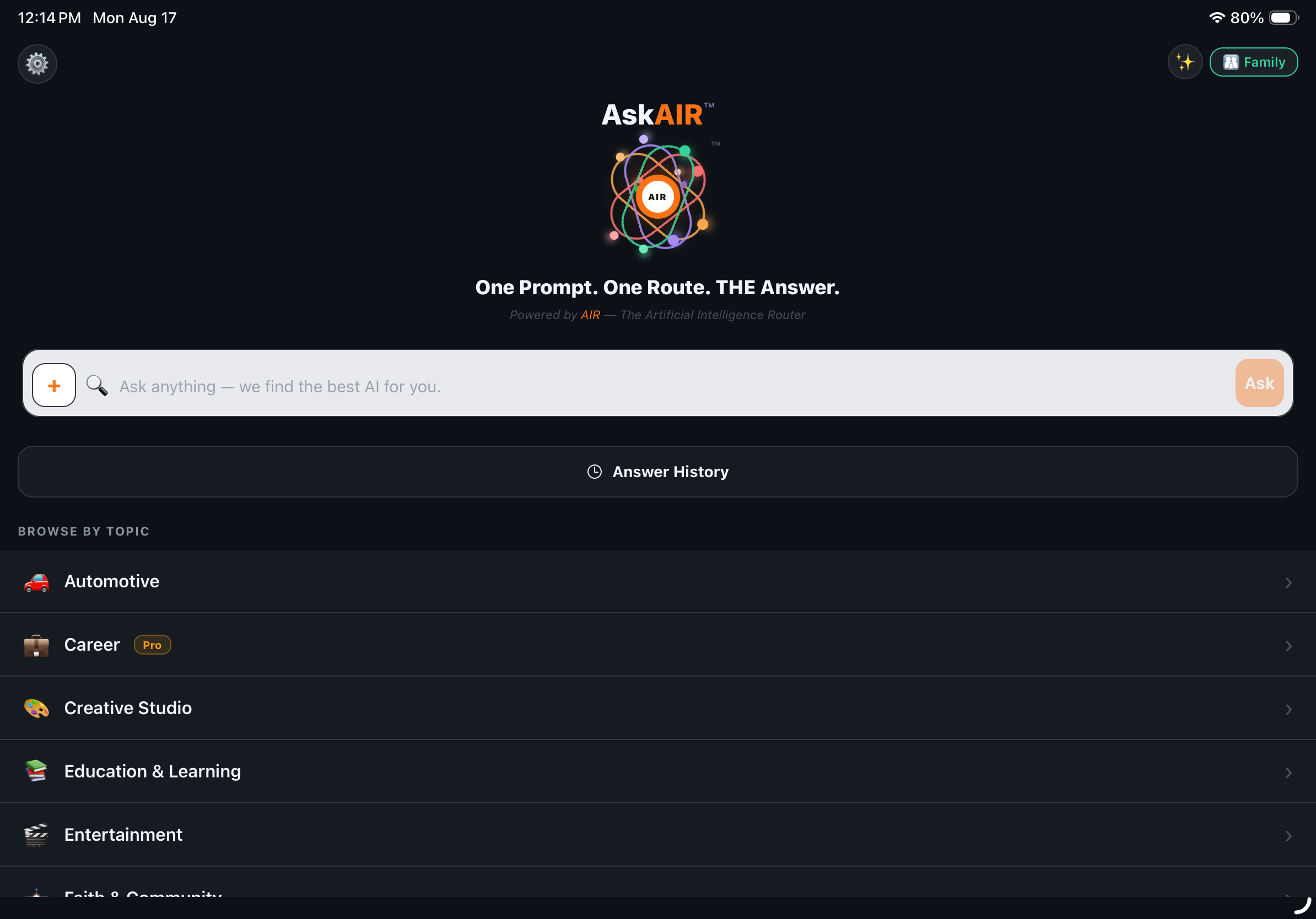
AskAIR home screen
Why AskAIR

Built for people who don't
want to think about AI.

AskAIR helps everyday people get a straight answer to real-life questions without needing to know or care which AI is behind it.

🗂️

Browse by real life, not by AI brand

18 hubs, over 100 categories — Automotive, Cooking & Recipes, Career, Health, and more. Tap the one that fits, and AskAIR already knows which AI handles it best.

📷

Ask about anything — even a photo

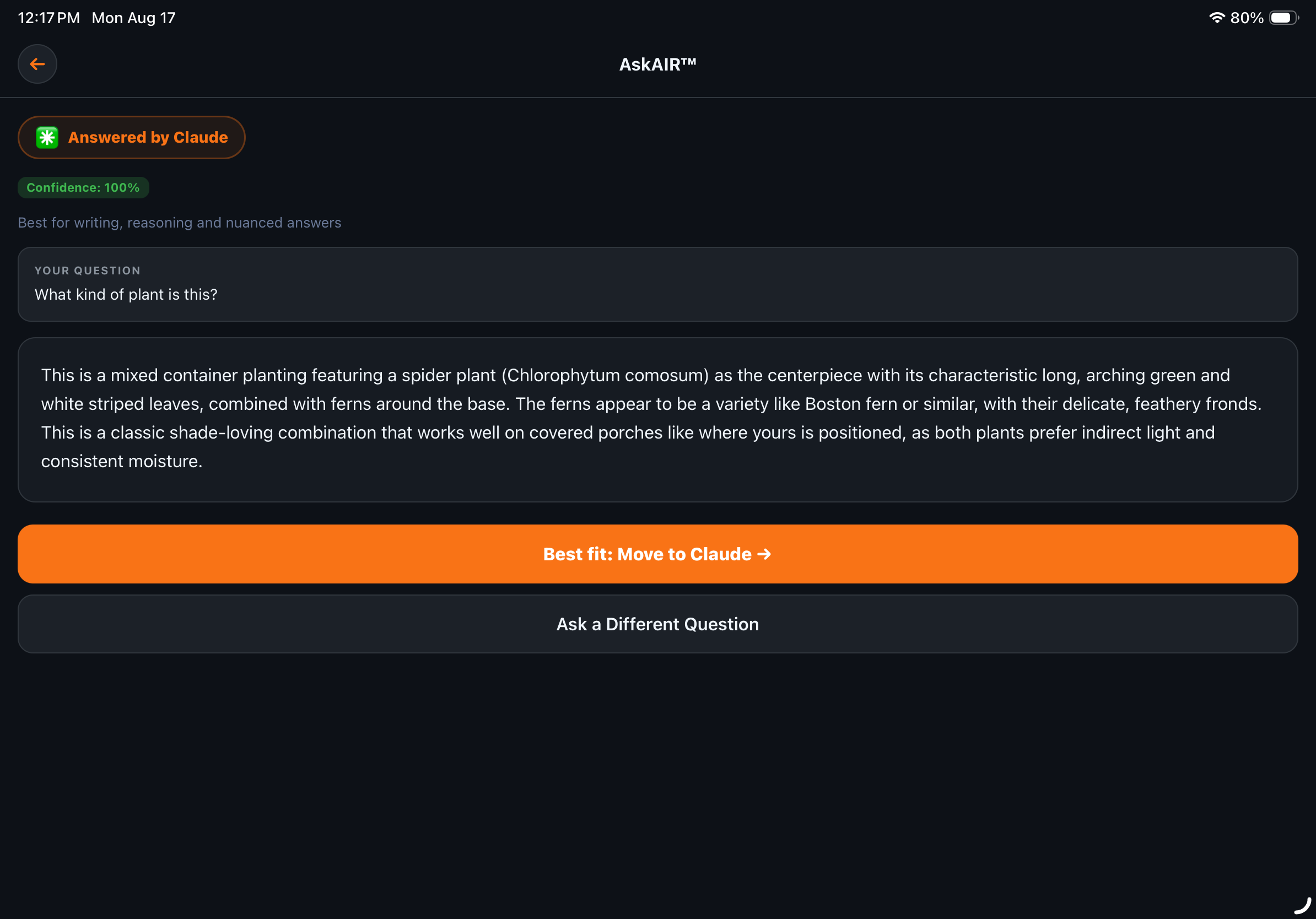
Snap a picture and ask. "What kind of plant is this?" gets a real, specific answer from a vision-capable AI, not a generic search result.

⚖️

Routing decided by consensus, not us

Every category's assigned AI is chosen by the AIR Consensus Engine™ — six frontier AIs vote monthly on who's actually best. No sponsorships, no favorites.

The Full AIR Experience

Everything DashboardAIR is.
Then a whole lot more.

AskAIR runs on the exact same AIR Consensus Engine™ as DashboardAIR — the same monthly, blind vote deciding which AI is objectively best for every category. AskAIR just goes further: more categories, more AI tools, and features DashboardAIR doesn't have. It's priced accordingly, too — AskAIR Pro is a step up from DashboardAIR Pro, because it's simply the bigger app.

🌎

125 categories — and counting

From Car Buying to Career Change to Meal Planning, AskAIR's category list keeps expanding to match real life. New categories get added and routed the same way every existing one is: by consensus, not a guess.

Ask Advisor: your monthly AI report

Every month, Ask Advisor looks at how you've actually been using AskAIR and sends a personal report — patterns, recommendations, what's changed. Your own AI habits, explained back to you. (Pro & Family feature.)

🌐

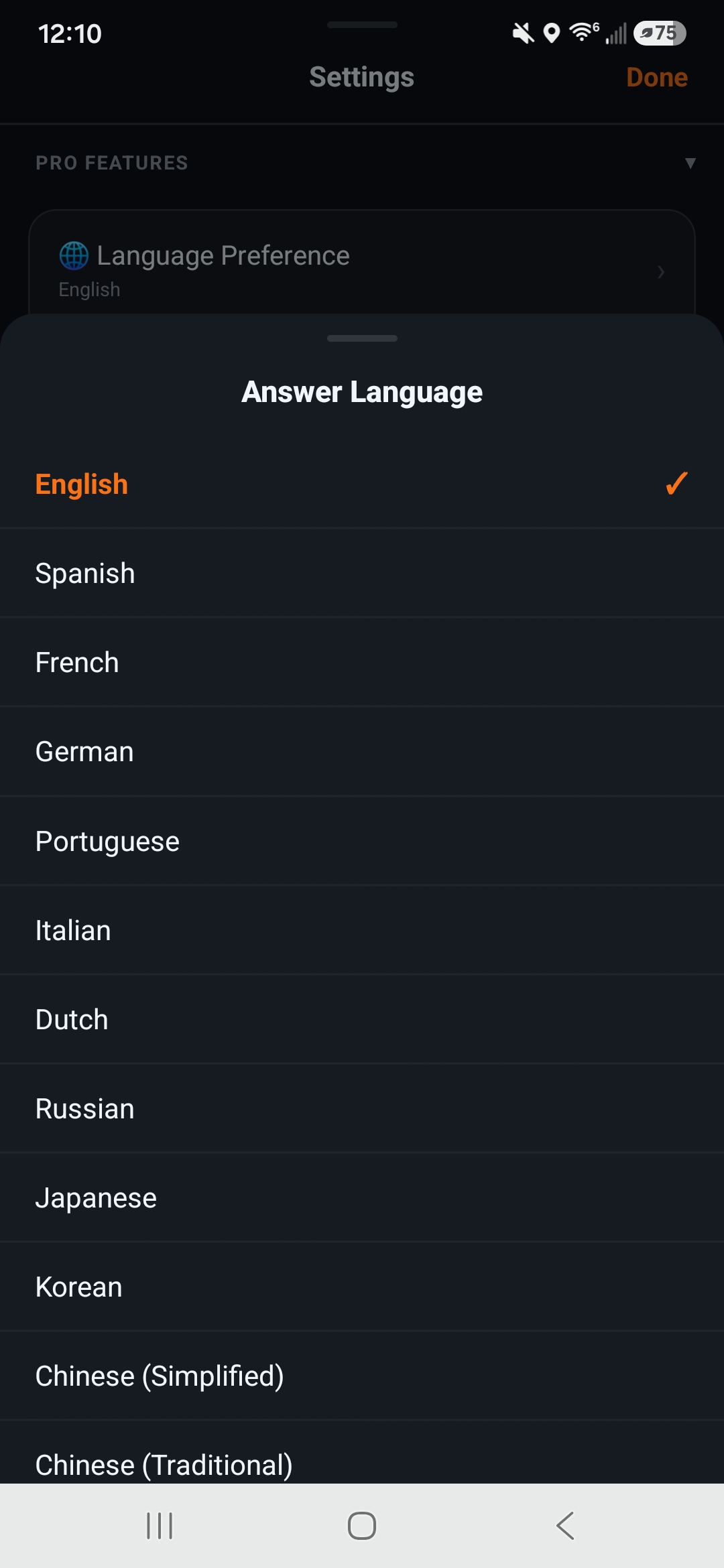
Language Preference: answers in your language

Set your preferred language once in Settings — from Spanish and French to Japanese and Chinese, 12+ languages and counting — and every eligible answer comes back in it. DashboardAIR doesn't have this. (Pro & Family feature.)

What you get
DashboardAIR
AskAIR
Categories
24
125
AI tools inside
14
17
AIR Consensus Engine™ routing
Language Preference (answer in your language)
See It In Action

Real questions.
Real answers, from the app.

No mockups — these are AskAIR's actual screens, answering actual questions.

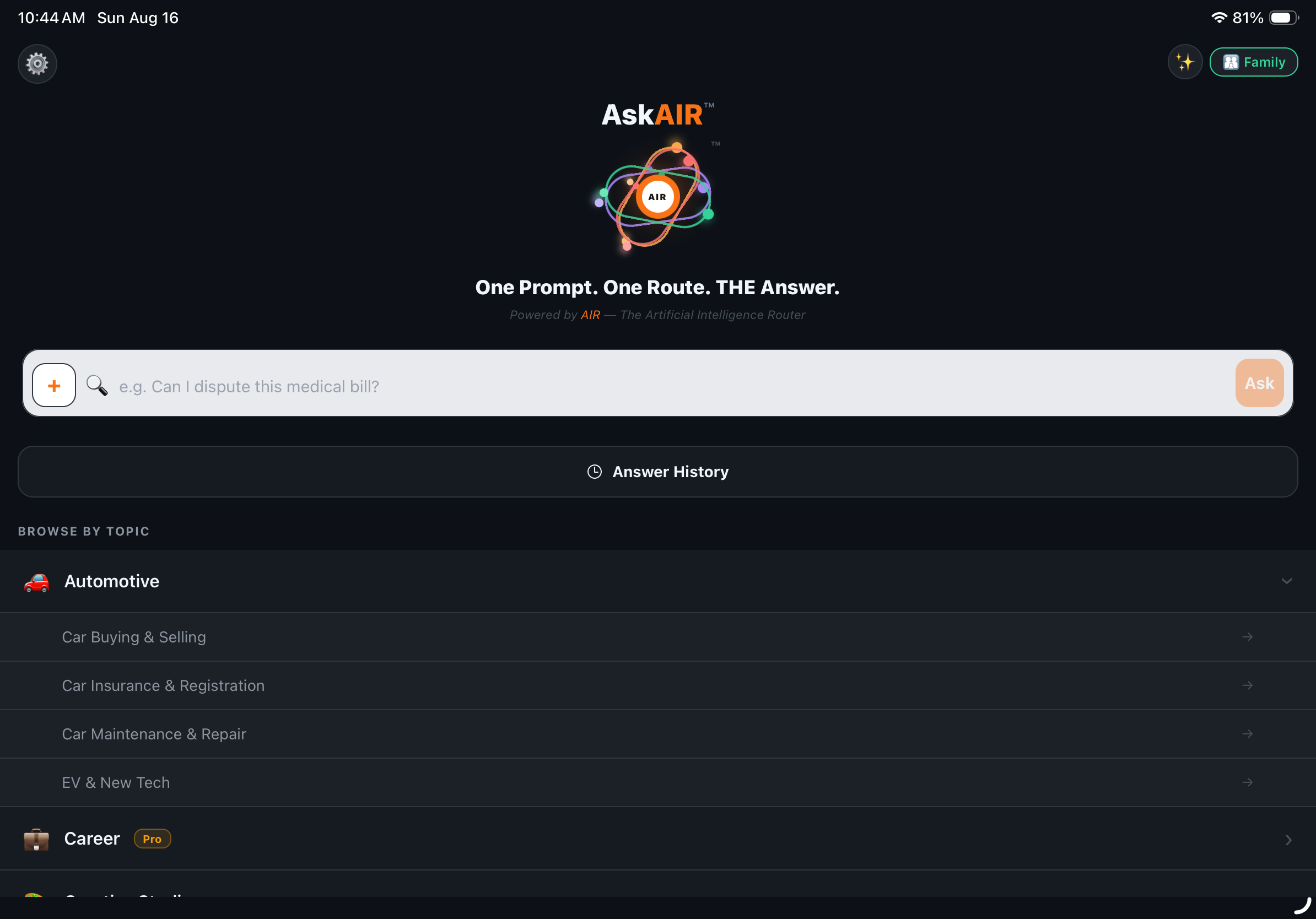
AskAIR category browsing
Browse

Tap into a hub like Automotive and drill into the exact spoke that matches your question.

AskAIR answering a photo question
Ask about a photo

"What kind of plant is this?" — answered in detail, with the exact species and care notes.

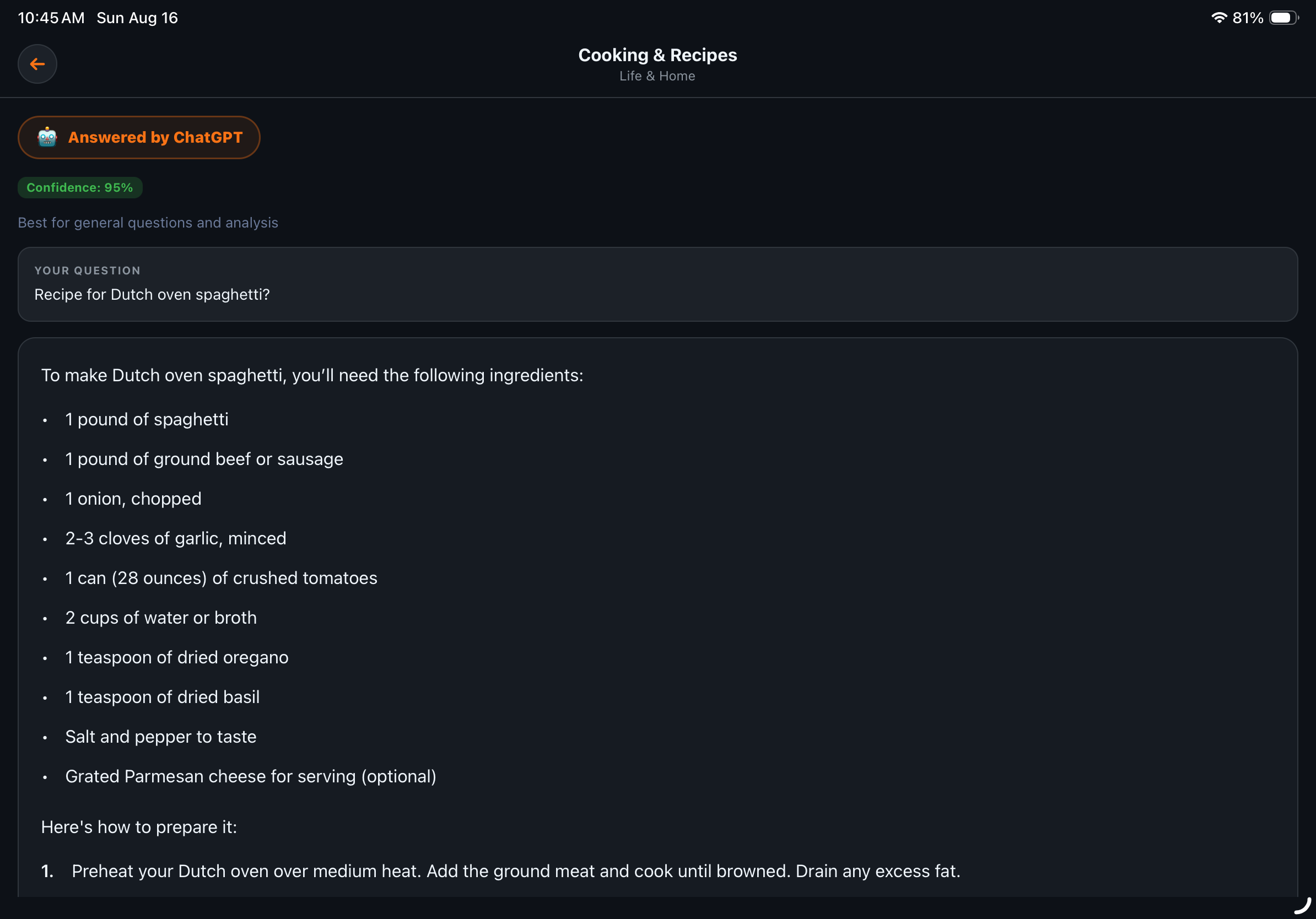
AskAIR answering a recipe question
Get the answer, in-app

No copy-pasting into another app — the full answer renders right where you asked.

AskAIR home screen
Or just ask

Skip the categories entirely — type any question and AskAIR classifies and routes it for you.

AskAIR Language Preference / Answer Language settings
Set it once

Pick your Answer Language in Settings — Spanish, French, Japanese, Chinese, and more — and every eligible answer comes back in it.

One prompt. One route. THE answer.

STEP 01
Ask

Tap a category tile, type a question, or attach a photo — whatever's fastest for what you need.

STEP 02
AskAIR Routes It

Every category is pre-assigned to whichever AI won that category in the latest monthly AIR Consensus Engine™ vote.

STEP 03
Get Your Answer

The answer renders right in the app — no switching tools, no separate logins, no guessing if you picked the right AI.

Curious how the routing decision actually gets made? Read the full methodology on the AIR Consensus Engine™ page.

Questions

Good to know

Is AskAIR actually free?
Yes — AskAIR is free to download with a generous daily allowance of routed questions and full access to core categories. Pro and Family tiers exist for people who want unlimited routes and access to every category and AI tool; see the app for current plan details.
How many AI tools does AskAIR actually use?
17 real AI tools sit behind AskAIR's categories — including ChatGPT, Claude, Perplexity, Gemini, Grok, Microsoft Copilot, Wolfram Alpha, and specialist tools for health, creative, and productivity questions. You never have to know which one answered unless you want to.
What if the answer isn't quite right, or I want a different AI's take?
Every answer screen shows exactly which AI responded and offers a one-tap option to move your question to a different tool if you'd rather compare, or just ask again.
Who decides which AI answers which category?
Nobody at 4Cylinder Technologies picks favorites. Every month, six frontier AI models — Claude, ChatGPT, Perplexity, Grok, Gemini, and Microsoft Copilot — independently vote on which AI tool is objectively best for each category. Majority wins, and the routing updates automatically, no app update required. Full methodology is public on the AIR Consensus Engine™ page.
Does AskAIR work with photos, not just typed questions?
Yes — attach a photo from your camera or library and ask a question about it. AskAIR routes photo questions to a vision-capable AI and answers with real specifics, not a generic guess.
Get Started

Stop guessing which AI to open.

Download AskAIR free and let the app figure out the right AI for whatever you're asking.

Download on theApp Store
Get it onGoogle Play